Review candidates and approve or reject them
This page is for clients and hiring managers using a company's employer portal.
The recruiting team shares the candidates they want you to see. You get an email for each one, with a link that opens the candidate.
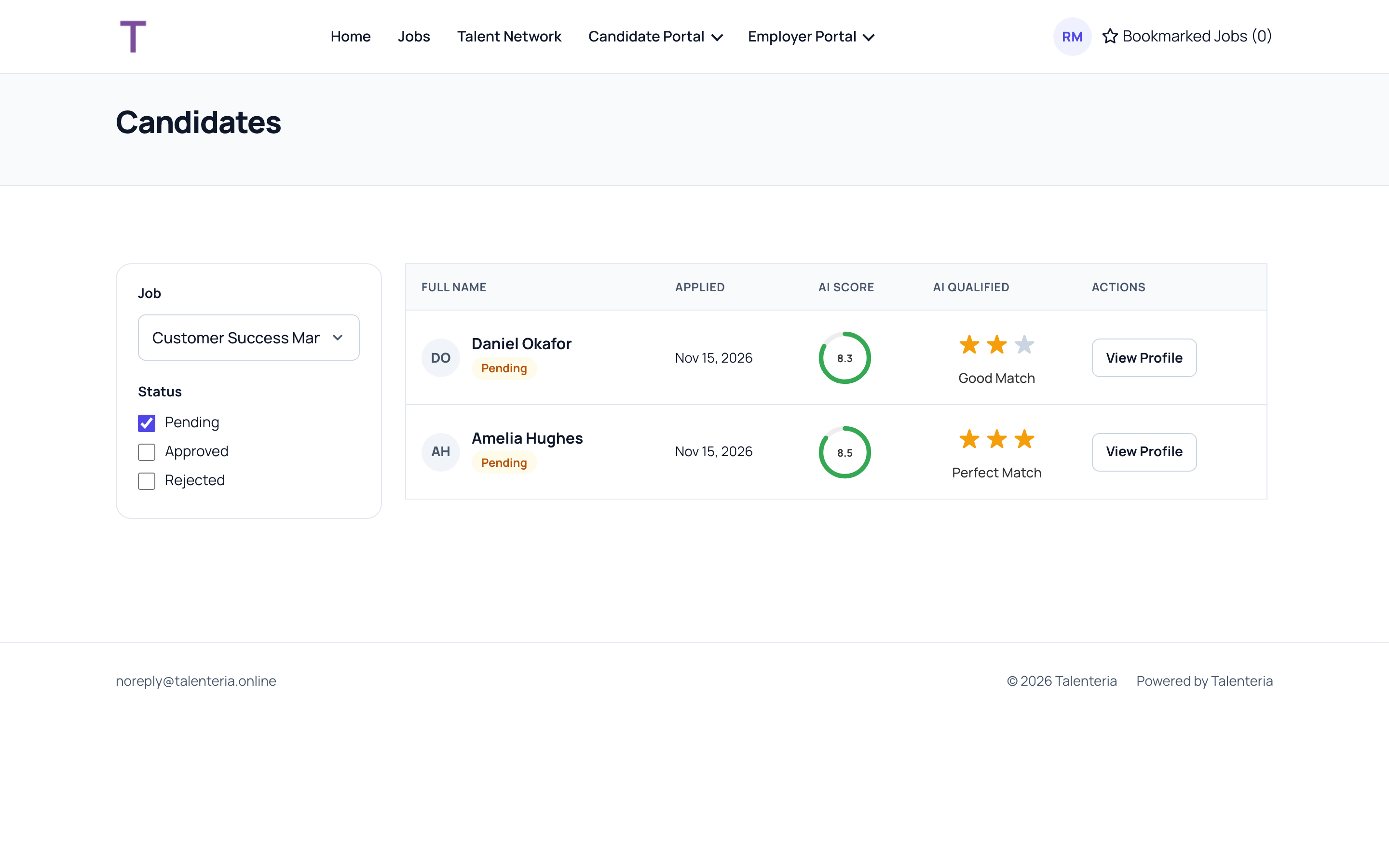
Find candidates
- Dashboard: your number of jobs, candidates, approved and rejected.
- Candidate list: every candidate shared with you. Filter by Job, and by Pending, Approved or Rejected. The list shows when they applied, the job, the AI Score and the AI match level.
- Job list: your jobs, with the number of candidates shared for each. Click it to see them.
Click View Profile to open a candidate.
Read the profile
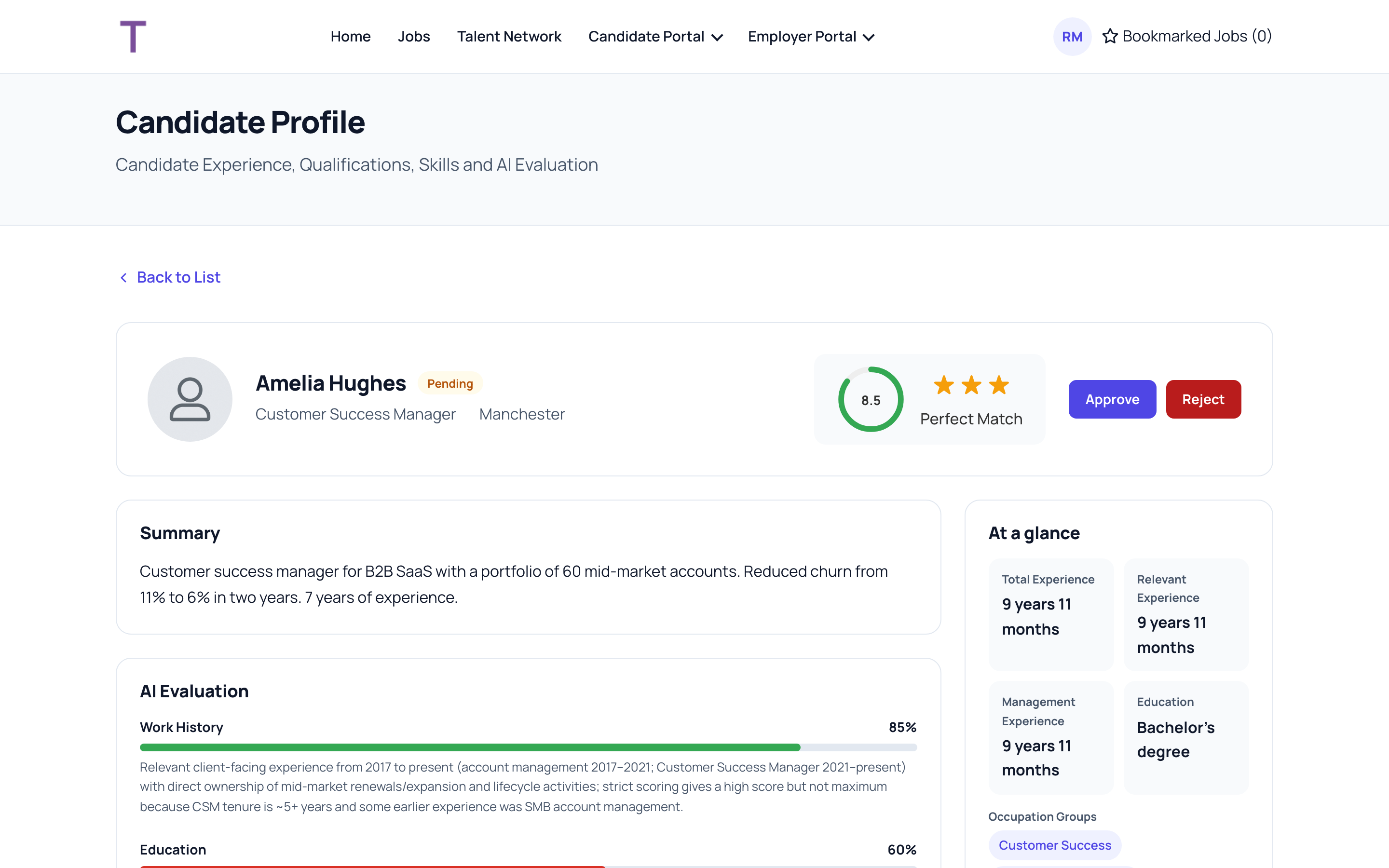
- The AI score out of 10 and match level show how well the candidate fits the job's criteria.
- The AI Evaluation gives each criterion's result and the reason.
- Work & Experience, Education, At a glance and Professional Skills (required, missing and additional skills) summarise the resume.
- Under Documents, download the resume and other files.
The recruiting team keeps the candidate's contact details. Talk to them before contacting a candidate.
Approve or reject
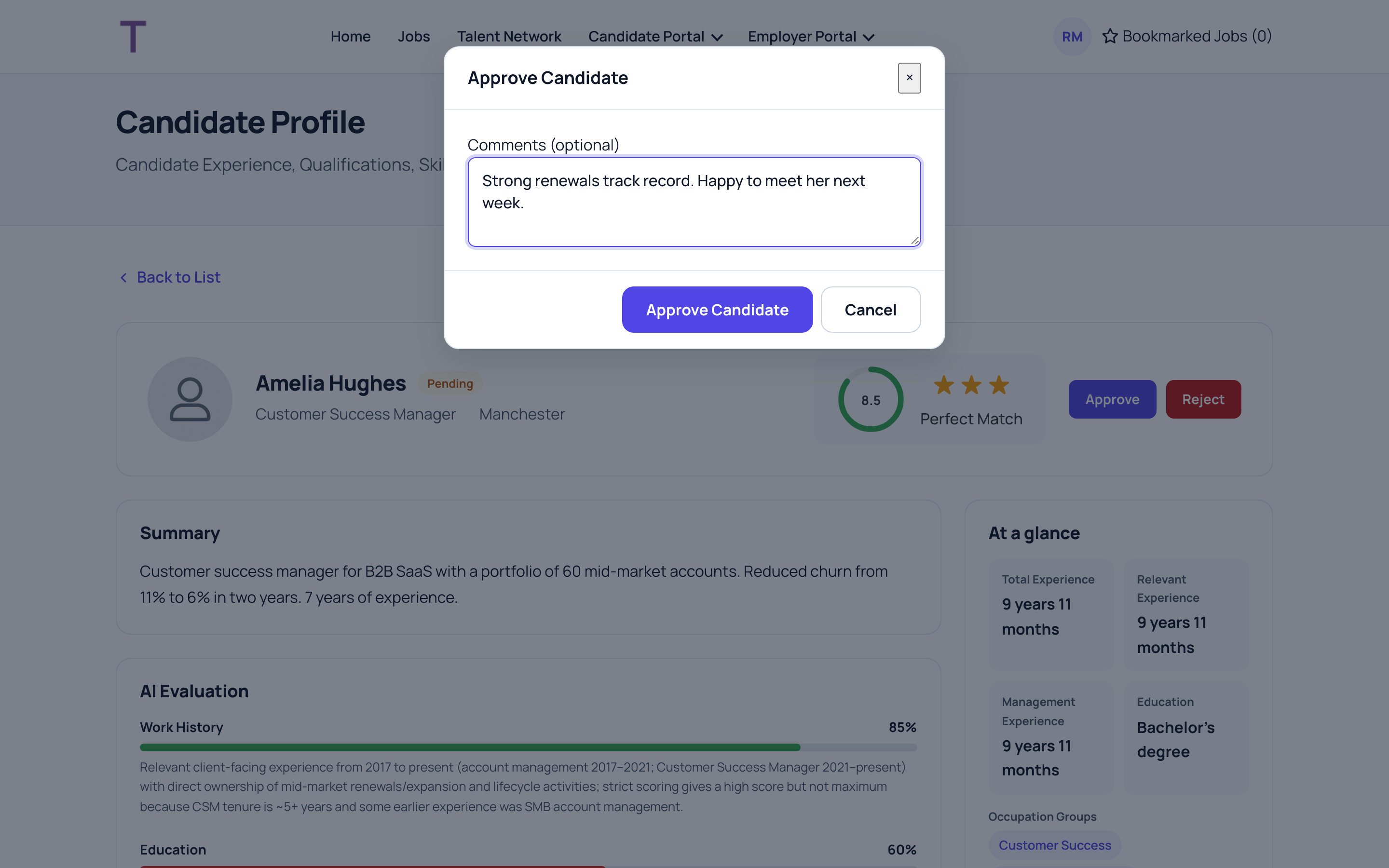
- Click Approve or Reject.
- Optionally add Comments: what you liked, or why they don't fit. The recruiting team sees your comment.
- Click Approve Candidate or Reject Candidate.
The recruiting team is told straight away. They decide the next steps, such as an interview or an offer, and contact the candidate.
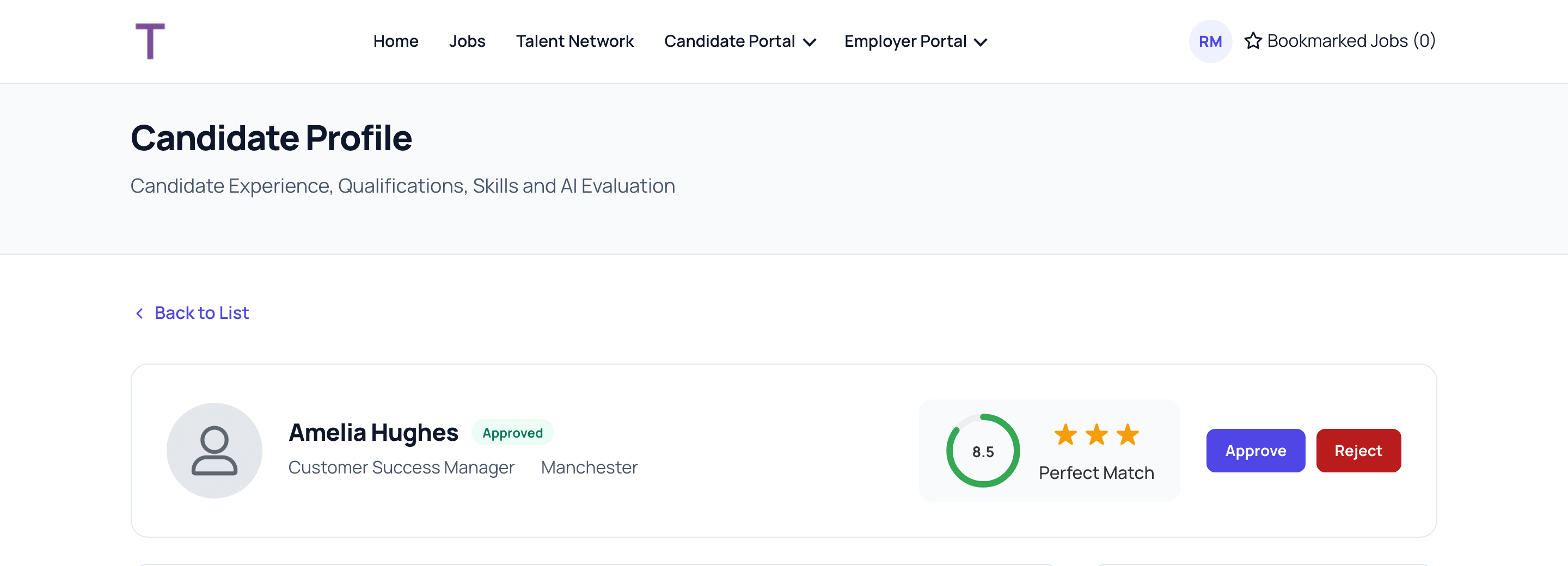
You can change your decision later in the same way. Click Back to List to return to your candidates.