Add candidates to a pool and search inside it
Add candidates
- Upload resumes: open the pool and click New candidate, then Upload Now. Or go to Candidates › New Candidate, choose Talent Pool and pick the pool. Tick Let AI decide the best talent pools for each candidate to let AI choose the pools. See Add candidates.
- Candidates you already have: in any candidate list, tick them and choose Bulk actions › Link to job / talent pool, then choose the pool and click Submit. People already in the pool are skipped.
- From the career site: if the pool is published, candidates join from its page. Copy its link with Share on the pool, or from the Talent pool ad tab.
- By AI: for pools with Allow AI Assignment on, AI adds new candidates that fit.
Resumes can't be emailed to a pool; email inboxes are for jobs only.
Find the best members
- Open the pool. The list opens with the best AI match first.
- Click a tile to filter: Candidates, Perfect Match, Good Match, Shortlisted.
- Use the filters on the left: Quick Filters, AI match level and status, or search by name.
- Open a member to see their AI profile against the pool's criteria.
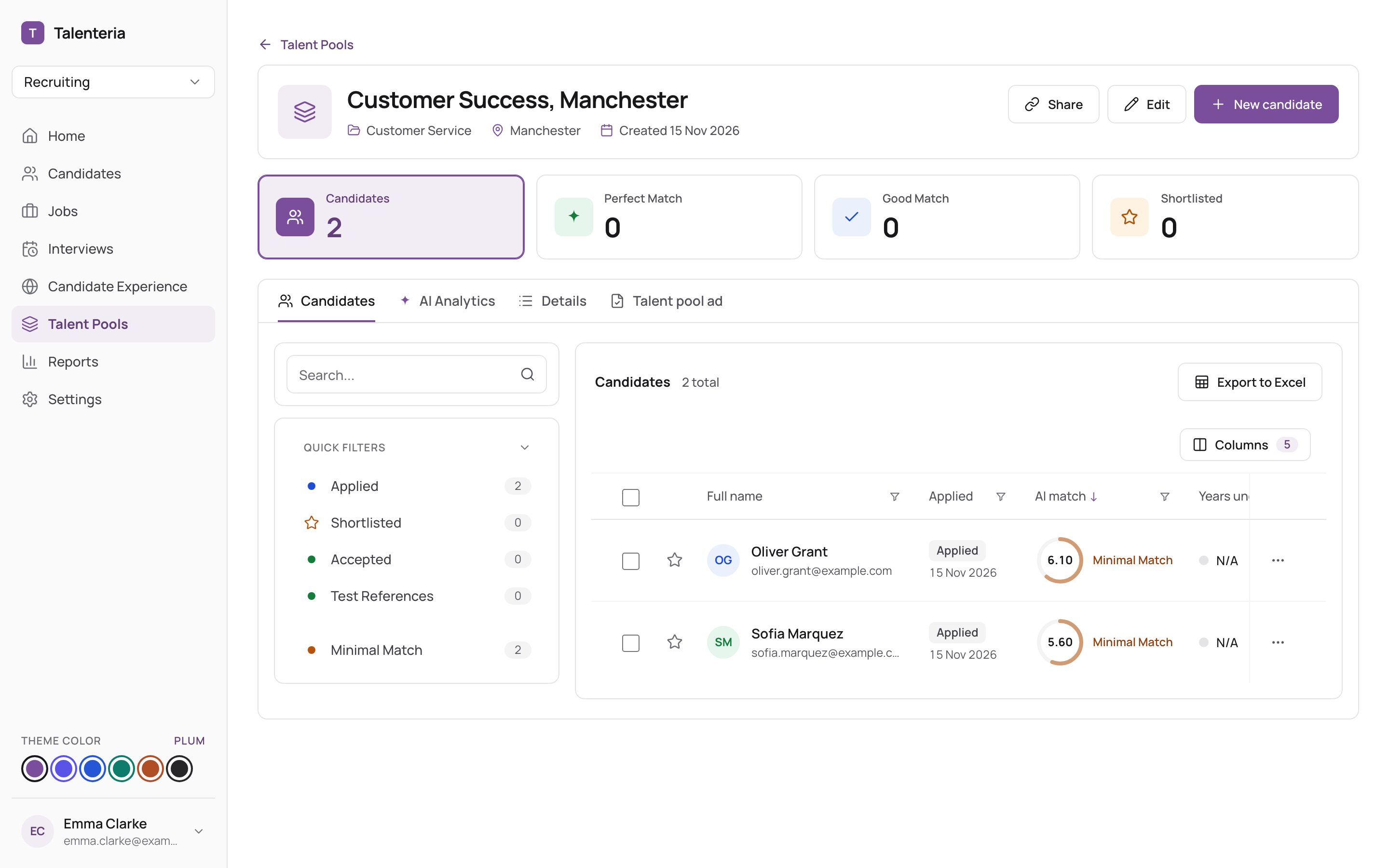
To search across all pools at once, use Candidates and filter by Talent Pools. See Find candidates.
Work with members
In a member's row, or for several with Bulk actions:
- Change status: Applied or Accepted.
- Shortlist, Send message, Download resumes.
- Compare (several members).
- Invite to a Job Opening or Link to job / talent pool. See Invite pool candidates to a job.
Remove someone from a pool
Choose Delete in their row and confirm. Only their membership in this pool is removed; the candidate stays in your database and in their other jobs and pools.