Set up the AI interviewer
These settings apply to every AI interview in your account.
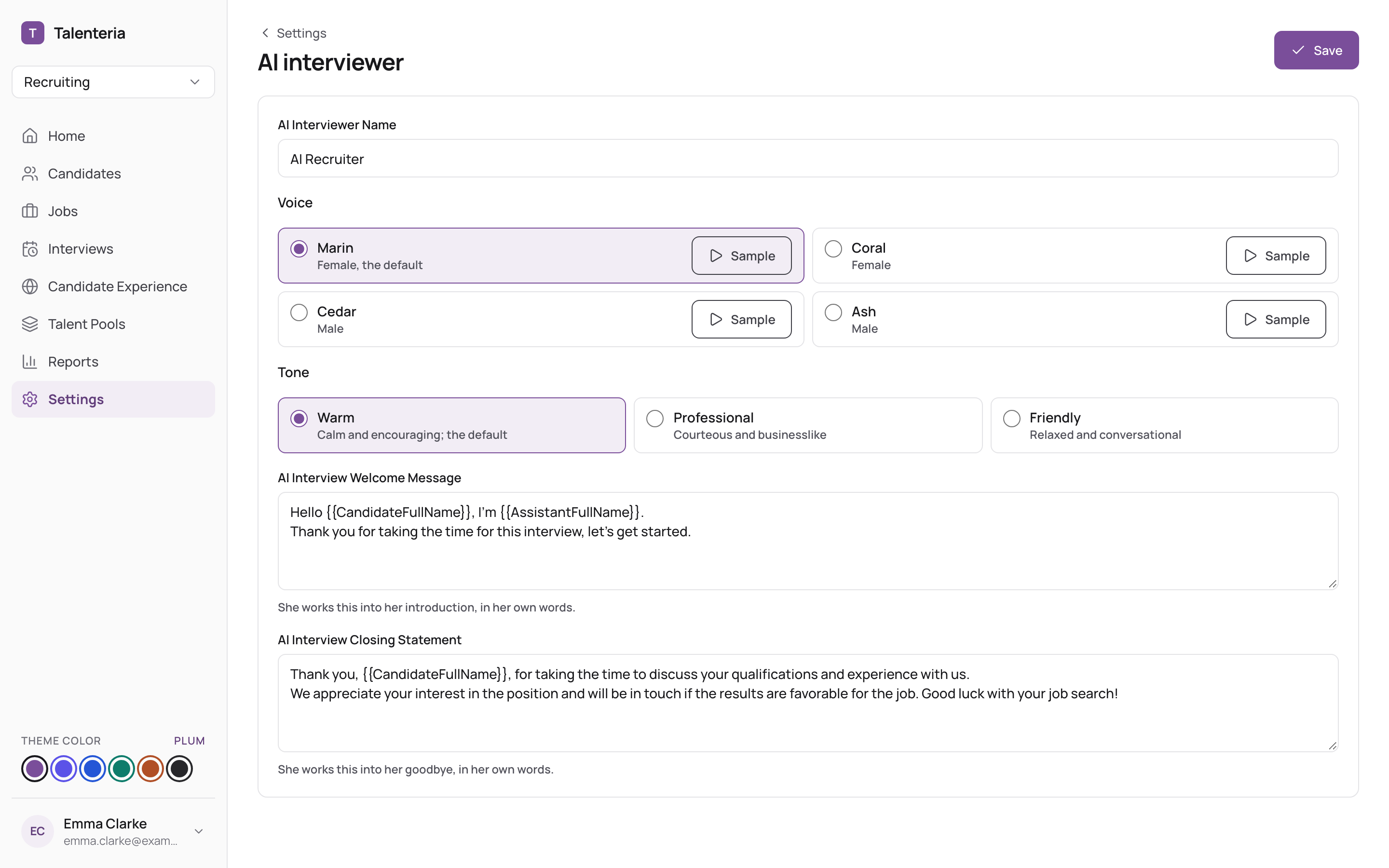
- Go to Settings › AI interviewer.
- Set:
- AI Interviewer Name (required): how the interviewer introduces itself to candidates.
- Voice: Marin (female, default), Coral (female), Cedar (male) or Ash (male). Click Sample to hear each one.
- Tone: Warm (default, calm and encouraging), Professional or Friendly.
- AI Interview Welcome Message (required): what the interviewer should say at the start. It works this into its introduction in its own words.
- AI Interview Closing Statement (required): what it should say at the end, for example what happens next. It works this into its goodbye.
- Click Save.
The interviewer's picture can't be changed.
Voice and Tone are shown on accounts that use the current, spoken AI interviewer. Accounts on the earlier version see an AI Interview Next Question Message instead: what the interviewer says between questions.
Where other settings are
- Questions and language: set per job (step 4 of the job form) or per interview when you invite. See Create an AI interview.
- Answers to candidates' questions about your company or the job: Settings › Candidate Q&A.