Create an AI interview and invite a candidate
In an AI interview, Talenteria's AI interviewer talks with the candidate by video, asks your questions and follow-ups, and scores each answer. The candidate takes it whenever it suits them; you get a report. See How an AI interview runs.
Invite candidates
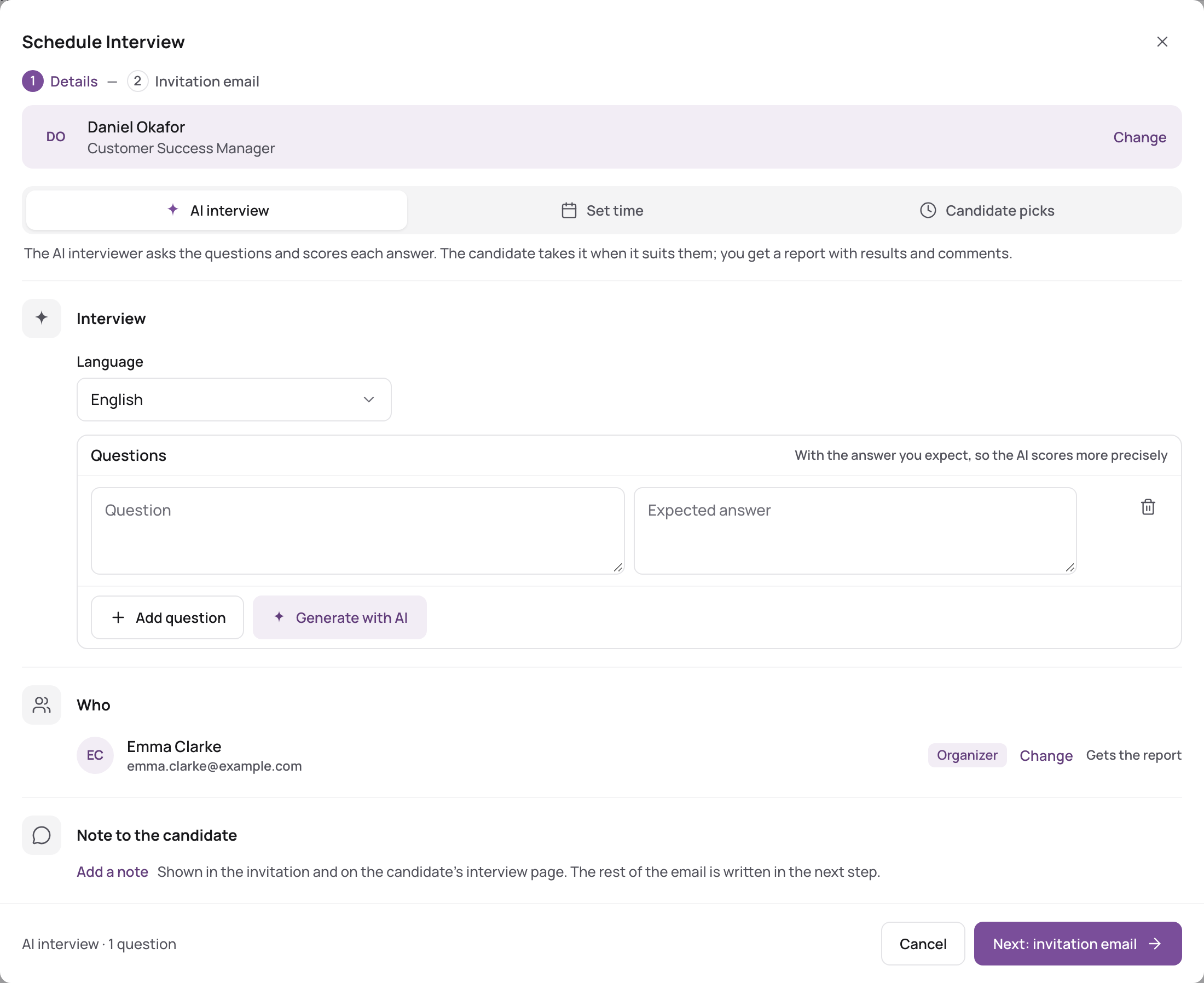
- Open Schedule Interview from the candidate, a candidate list (several candidates at once with Bulk actions), Home or Interviews.
- Choose who it's for.
- Under How, keep AI interview (the default).
- Choose the Language of the interview.
- Check the Questions. They come from the job's AI interview questions. For each one you can write the Expected answer: the AI then scores more precisely.
- Click Add question to add one.
- Click Generate with AI to have AI write questions (see below).
- If the job has no questions yet, the ones you enter here are saved to the job.
- Under Who, you are listed as the one who Gets the report.
- Click Next: invitation email, check the text and click Schedule and send.
Talenteria shows how many interviews were created, with each candidate's interview link to copy. Each candidate gets an email with the link Start the interview. It tells them they can take it any time, on a computer or phone with a camera and microphone.
Generate questions with AI
- Click Generate with AI.
- Set the Job Position, Question Type, Question Level, Category (optional), Question Format and Choose a tone.
- Choose the Number of Questions (1 to 20). Tick Generate Answers to get expected answers too.
- Optionally add Optional Comments, for example topics to cover.
- Generate, then edit or remove the questions you don't want.
Set questions and criteria on the job
To use the same questions for every candidate of a job, set them on the job: Edit the job and go to step 4, AI Interview. The job's evaluation criteria, which the AI uses to score the interview, are set there too. See Create a job.
Follow up
On Interviews, AI invites lists AI interviews not started yet, and Incomplete those started but not finished. Finished interviews appear under Completed and in Latest AI interview results on the Dashboard. Open the Report to see the results: Read the AI interview report.
Limits
AI interviews count towards your plan's monthly allowance. A trial includes 10 AI interviews a month. See Plans, trial and usage limits.
Related reading
- Set up the AI interviewer
- Take an AI interview (what the candidate sees)