Customise a job's page on your career site
Every job's page on your career site uses the site's job page template. You can give one job a different template, or change the layout for that job only.
The hiring pipeline can't be customised per job: it is the candidate statuses, shared by all jobs. See The job page and the hiring pipeline.
Choose another template for a job
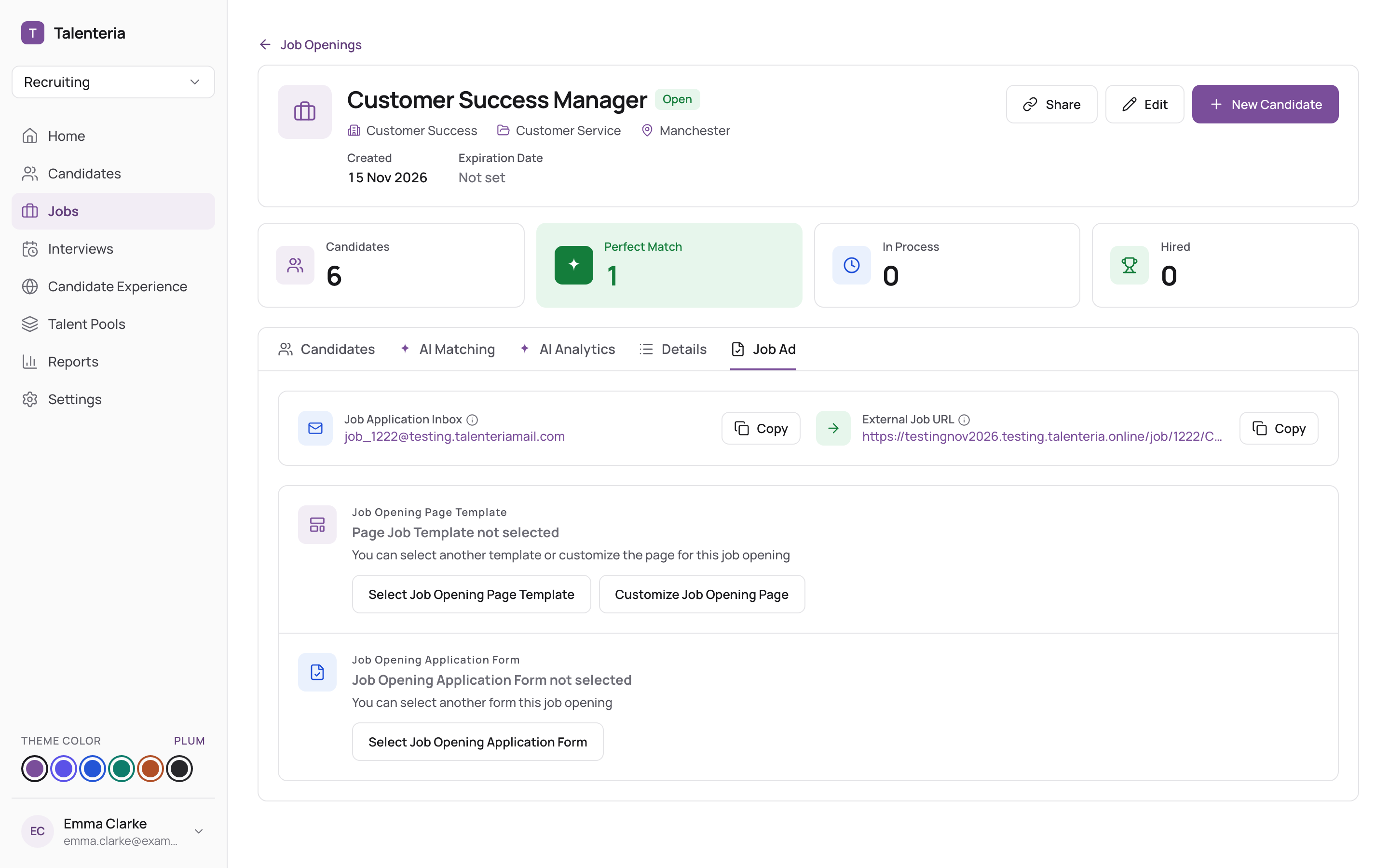
- Open the job and go to the Job Ad tab.
- Under Job Opening Page Template, click Select Job Opening Page Template.
- Pick a template and confirm.
Change the layout for this job only
- On the Job Ad tab, click Customize Job Opening Page. A preview of the job's page opens.
- Click Edit. The page editor opens full screen.
- Make your changes and save. The template is now shown as Custom Template.
- Click Back to Job Opening Details when done.
Changes apply to this job only; other jobs keep the site's template. The page designer works the same as for the rest of your career site: see Edit pages with the page designer.
Undo your changes
On Customize Job Opening Page:
- Revert to Default removes your changes and goes back to the template you chose. All changes are lost.
- Use site template goes back to the career site's own job page template. All changes are lost.
Use site template is also on the Job Ad tab.